No IT project required. Simply install and get started free of charge.
With PDFMAILER.SEND software, you can send all your business mail with just one click – by email or postal mail!
E-invoices, contracts, receipts, postal letters, pay slips, etc.
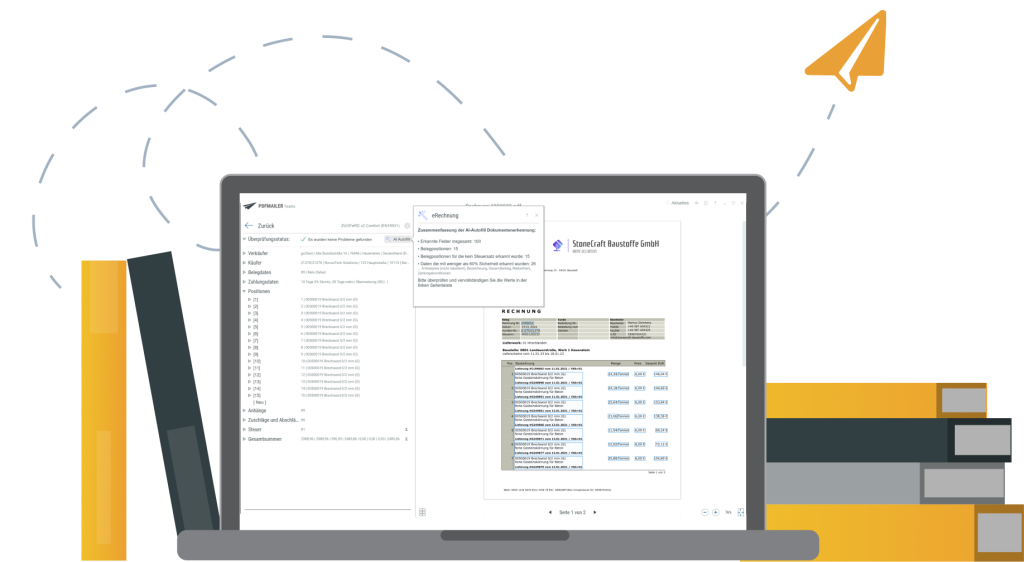
With PDFMAILER.SEND, you can now send all your business mail with a single print command by email, via a portal, or as postal mail – without any intermediary manual steps.
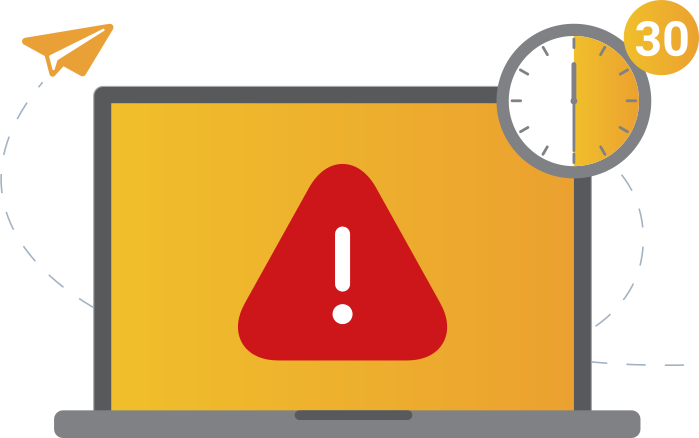
Office and administrative employees spend an average of up to 30 minutes per day sending documents – which is precisely the time you’ll save with PDFMAILER.SEND.
Send e-invoices, offers, contracts, and much more – directly from your ERP system or office software
Flexible delivery methods: email, postal mail (national and international) or digital portals
No complex setup, no IT project needed – just install and get started
Integration with the DATEV invoice portal







Every day, your team has to send invoices, contracts, and other business documents. On average, this takes each employee up to 30 minutes per day.
This means that more than 13 working days per year are spent just sending documents – including printing, inserting in envelopes, addressing and sending.
High effort, high error rate.

And the pressure is growing: Beginning in 2027, companies will be legally required to send e-invoices.
Starting in 2025, you have to be able to receive and process e-invoices correctly.
It’s no wonder that more and more companies in the B2B sector are already looking for a comprehensive solution for incoming and outgoing digital invoices.
But with the right software, you can do much more than just ensure legal compliance for your work.
You can lighten the load on your employees – and regain time, control and a clear overview of the situation.
With PDFMAILER.SEND, you can send not only e-invoices, but any of your company’s document – by email, postal mail, stamped letter, as a parcel, or via digital portals. One click is enough – and manual effort is reduced up to 50%.
Whether addresses, customer numbers, or amounts – all relevant data is transferred automatically. This way, you avoid transposed numbers, shipping errors, and duplicate work.
Your team no longer has to print letters, insert them in envelopes, or mail them. The time saved can be used for more important work – instead of routine tasks.
E-invoicing has been mandatory since 2025. With PDFMAILER.SEND, you’re not only prepared, but also one step ahead – because more and more business partners are already relying on digital invoicing processes.
That often means complex IT projects, high costs, and long training periods. It’s no wonder many companies put off e-invoicing for a long time. With PDFMAILER.SEND, things are different.
Installation takes only a few minutes. PDFMAILER works like a printer driver – and is so simple that even employees without prior IT knowledge can use it right away. Just install. Print. Send. Done.

Create your invoice, quote or other document as usual.
PDFMAILER.SEND automatically creates a ready-to-send PDF file by printing – without additional software, and without changing your processes.

You decide how the document should be sent:

For maximum time savings, steps 2 and 3 can be fully automated.
Thanks to our printing technology that can be integrated with forms and optional AI-based data recognition, PDFMAILER.SEND automatically recognizes content and recipients – and takes over the entire mailing process.

If necessary, add an email text, choose digital stationery or attach additional documents.
The result: In many cases, a single click is enough to send 100 – or even 100,000 – documents securely and correctly.


Create and send electronic invoices and other business documents via email or postal mail. Print them directly from your office software or ERP system.
The best way to reach every recipient – without any additional effort.
It’s simple to select the desired invoice format – e.g., ZUGFeRD or XRechnung – in the system.
If a recipient requires a different format, our print-based intelligence recognizes the relevant information directly from your ERP system and automatically delivers the invoice in the correct format.
Result: You meet all requirements – without additional effort or manual intervention.
Download the installation package and start the setup
The trial version runs free for 14 days – with no obligation.
You don’t need any IT knowledge. Installation takes just a few minutes and can be completed with just a few clicks.
No need to wait! You can send your first documents right away:
Simply print, select PDFMAILER.SEND, specify the shipping method – done.
Whether by email, postal mail or web portal: Sending takes place automatically in the background.Ob E-Mail, Postbrief oder Webportal: Der Versand erfolgt automatisch im Hintergrund.
After 14 days, you can decide whether you want to continue using PDFMAILER.
We’re happy to create a custom offer that fits your needs.


Do you have questions during testing? Would you like to further automate your shipping processes? Or do you simply want to learn more about PDFMAILER?
Our team is happy to help you – quickly, personally, and without any extra complications. Just write to us: info@pdfmailer.de
To the webinar
You can reach our team here:
info@pdfmailer.de
Join our free live webinar every Thursday. We’ll show you PDFMAILER in action and quickly answer your questions.
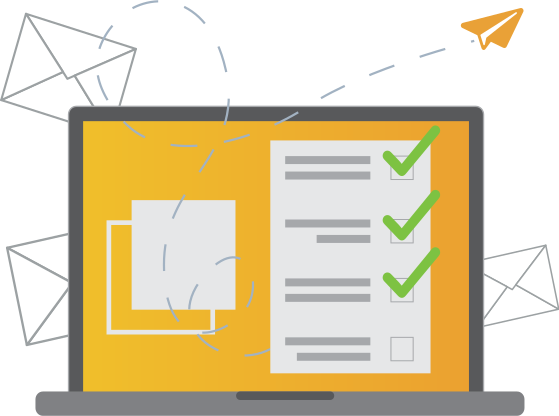
IT projects cost time and money. PDFMAILER.SEND works immediately—completely without changes and in the programs your employees already use.
Preparing mail, printing, and stuffing envelopes—all of this costs valuable time daily. PDFMAILER.SEND automates the entire dispatch process, saving you significant money.
Who sent what, when, and to whom/where? With PDFMAILER.SEND, you have full transparency over all sending operations at any time.
Do you also want all incoming invoices to be archived? Our free trial gives you access not only to PDFMAILER.SEND, but also to PDFMAILER.ARCHIV. This lets you test sending and archiving e-invoices simultaneously – simply, efficiently, and completely digitally.
More information about PDFMAILER.ARCHIV
For over 25 years, gotomaxx software GmbH has been supporting companies of all sizes in sending and receiving their business mail – digitally, efficiently, and reliably. Today, more than 25,000 companies rely on our solutions.
As an IT expert with many years of experience in the B2B sector, Matthias Neumer had a clear goal:
Develop a solution that makes the digitalization of business mail simple, fast, and accessible to everyone in the company – without requiring a complex IT project.
Many companies are hesitant to make the switch because existing solutions are often expensive, complex, and technically daunting. Yet there is enormous potential for increased efficiency in automating shipping processes.
Matthias Neumer
Managing Director




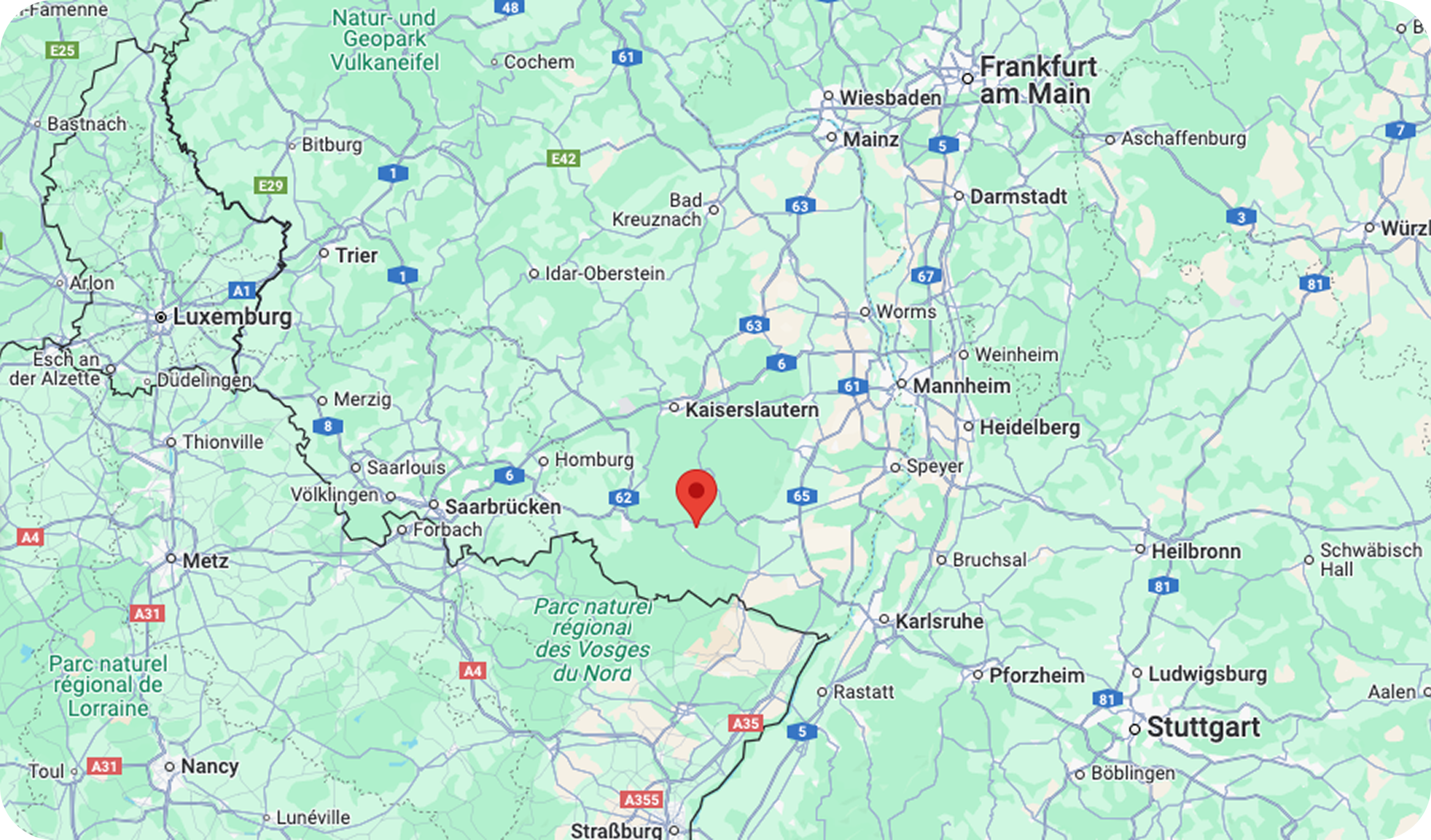
Our headquarters are located in picturesque Hauenstein in the south of Rhineland-Palatinate. Our support team is available on weekdays and will answer your questions quickly and expertly via email.
You can also participate in our weekly live webinars – free of charge and with direct insights into our solutions.



PDFMAILER.SEND is a software package that lets you send all your business mail – such as invoices, offers, or letters – with just one click, directly from the print menu.
The software is installed like a printer driver and works from virtually any program, such as your ERP system or office software.
You can choose the desired shipping method:
✔️ By email
✔️ As postal mail with a stamp or via a partner printing center
✔️ Provision via a dedicated billing portal
✔️ Via digital platforms such as Peppol
(Integration with the DATEV e-invoicing platform is in preparation and will appear soon.)
What’s special about PDFMAILER.SEND: It’s quick to set up, immediately ready to use, and saves you time every day – without requiring training or a complicated IT project.
Employees in accounting and administration spend up to 30 minutes a day on average sending business mail – from printing it to inserting it in envelopes and shipping.
With PDFMAILER.SEND, this effort can be reduced by up to 50%, as many steps are automated in the background.
This means more than 13 working days per year per employee that you can use for more important work – instead of for routine tasks.
With PDFMAILER.SEND, there are numerous delivery options available – tailored to the needs of your recipients:
✔️ Email – including a personal greeting, attachments and stationery
✔️ Postal mail (national/international) – via a partner printing center (printing, inserting in envelopes, shipping) or printed on your local printer with an internet stamp
✔️ Via your own billing portal hosted on our server
✔️ Digital portals such as Peppol – for legal compliance when sending e-invoices
✔️ DATEV e-invoicing platform – in preparation
PDFMAILER also supports the common e-invoice formats ZUGFeRD and XRechnung – for correct and recipient-friendly delivery as required.
Conclusion: You send each document by the exact channel the recipient expects – automatically, efficiently and traceably.
No – quite the opposite. PDFMAILER.SEND is designed to integrate seamlessly into your employees’ daily work routines.
The software is installed like a printer driver and can be used directly from your ERP system or office software.
This means all you have to do is create a document, click “Print,” and select a delivery method.
You don’t need any additional training or changes to your existing processes – and you can usually get started within minutes.
Yes, absolutely. PDFMAILER.SEND is especially suitable for small and medium-sized businesses that want to send documents digitally without much effort while complying with legal requirements.
Easy installation and operation – without an IT department
No complex IT projects or training required
Time and cost savings from the first use
Legally compliant sending of e-invoices (ZUGFeRD, XRechnung)
Whether you’re a sole proprietor or a small team – with PDFMAILER.SEND. you can digitalize your business mail quickly, reliably and affordably.
Yes. With PDFMAILER.SEND, you can send postal mail automatically – both nationally and internationally.
Your documents are sent directly to a partner printing center, where they are printed, inserted in envelopes, stamped and sent.
You no longer have to do anything manually, saving time, effort and postage costs.
For special cases where a letter needs to be signed or printed locally, PDFMAILER.SEND automatically provides the appropriate postage (such as in the form of an internet stamp) – along with the print command.
After the 14-day free trial period, you can continue using PDFMAILER as a monthly subscription – without committing to a long-term contract.
Prices depend on the range of features and the number of users:
You only pay for what you actually need – and keep your options open at all times.
We’re happy to provide you with a custom offer.
– No setup fee
– No minimum term
– Can be canceled monthly
– Attractive package prices for teams
– Ready to use without requiring a complicated IT project
Here is a list of our current prices.
Yes. PDFMAILER.SEND can be easily integrated into almost any existing system – whether ERP, CRM, or office software.
The program works like a Windows printer driver. You can install PDFMAILER.SEND in just a few minutes and then send documents directly from your usual programs.
No additional software, no extensive process conversion, and no complicated IT projects are required.
✅ Compatible with ERP systems and office software (such as Microsoft Dynamics NAV, SAP, SoftENGINE ERP-SUITE, DATEV, Lexware, Microsoft Office and many more)
PDFMAILER.SEND ensures that your documents are correctly created, prepared, and readied for delivery – by email, postal delivery, or e-invoicing portals. The transmission itself then takes place via the respective channel – by email, postal service, or via the Peppol network, for example. The respective standards and security guidelines of each delivery method apply.
PDFMAILER helps you comply with legal requirements, for example by generating compliant formats such as ZUGFeRD or XRechnung and (if desired) password-protected PDF files.
Installing PDFMAILER.SEND is very easy and usually takes less than 10 minutes.
How it works:
You don’t need any special IT expertise. PDFMAILER.SEND is ready to use right away, and you can send your first business mail the same day – without any complicated setup.
PDFMAILER can be used in two ways, depending on how much automation you want:
Quick start (basic usage):
PDFMAILER installs like a printer driver and works immediately from virtually any system with printing capabilities, such as your ERP or CRM systems or office software.
You print a document, choose the shipping method, and the mail is sent out – by email, postal mail, or via an invoicing portal, for example.
🔹 Additional shipping process automation:
If you want PDFMAILER to automatically recognize and process all shipping parameters (such as shipping method, recipient data, document type, XML generation, etc.), our printing technology needs one-time integration with the forms or templates.
This doesn’t require a major IT project, but it’s a conscious step that makes PDFMAILER particularly powerful. We’re happy to support you – even during the test phase.
In the future, PDFMAILER will also feature integrated AI that automatically recognizes and assigns many types of document content – without the need for form integration. This will make automation even easier.
E-invoices, or electronic invoices, are digital documents that replace the traditional paper invoice. They are created in a structured electronic format (XML) that is machine-readable and allows for automated processing. ZUGFeRD and XRechnung are common formats in Germany.
As of January 1, 2025, all B2B companies are legally obligated to receive electronic invoices. Starting on this date, all companies must accept electronically invoices (ZUGFeRD and XRechnung). Starting in 2027, sending electronic invoices will also become mandatory.
The introduction of e-invoicing lays the foundation for a future reporting system that will require companies to report their assessable and taxable B2B sales electronically to the tax authorities. This system is intended to combat VAT fraud and enable more efficient tax administration.
Digitalization associated with e-invoicing promotes efficiency, reduces errors, shortens processing times and supports environmental protection through reduced paper consumption.
Companies that fail to comply with legal requirements for e-invoicing may face various disadvantages. These include delays in invoice processing, fines, and negative economic impact, such as strained relationships with business partners.
Beginning in 2025, it will no longer be possible to opt out of receiving e-invoices, meaning that companies that don’t adapt risk jeopardizing their cooperation with suppliers and customers, as they may not accept noncompliant invoice formats.
E-invoices can be created and sent via ERP systems using integrated e-invoicing software such as PDFMAILER. PDFMAILER supports all required e-invoice formats (ZUGFeRD and X-Invoice) and simplifies data collection and delivery.
If invoices are created as office documents, PDFMAILER supports this by using its included AI.
Yes, you can still create invoices in Word or Excel after 2025. However, these documents must be converted into a legally accepted e-invoice format such as ZUGFeRD or XRechnung to meet the new requirements. Simply creating an invoice in Word or Excel doesn’t meet the legal requirements for electronic invoicing.
Conversion to a compliant format can be achieved using specialized software solutions. Tools like PDFMAILER allow you to convert documents directly from Word or Excel into accepted e-invoice formats and automatically extract and process relevant data. These solutions not only ensure compliance with legal regulations but also optimize the efficiency of invoice processing through automation.
As of 1 January 2025, all B2B companies in Germany must be able to receive electronic invoices. This regulation applies to all companies, regardless of their size.
Starting 1 January 2027, B2B companies in Germany will also be required to send electronic invoices. However, there are specific transitional periods and exceptions that apply to smaller companies, particularly those with annual revenues of less than €800,000.
For these smaller businesses, the obligation to issue structured e-invoices exclusively will not become binding until 1 January 2028. Until then, they may continue to issue paper invoices or unstructured electronic invoices, provided the recipient consents. This provision gives smaller businesses additional time to adapt their systems and prepare for the full transition.
It is important that all companies, regardless of size, familiarize themselves with the requirements and deadlines early on to ensure a smooth transition.
Preparing your business for e-invoicing requires careful planning and implementation. Here’s a simple checklist to help you navigate the transition:
By following these steps, you’ll ensure that your company is prepared for the introduction of e-invoicing, uses the technical solutions efficiently, and complies with legal requirements without any issues.
Switching to e-invoicing offers numerous benefits for businesses of all sizes. Here is a detailed description of the key advantages:
Cost savings:
Reduction of printing and shipping costs: By avoiding physical invoices, companies save significantly on paper, printing and postage.
Efficient invoice processing: Automating the invoice process reduces manual intervention, significantly reducing processing time and associated costs.
Time savings:
Faster invoice processing: E-invoices can be submitted and processed immediately, accelerating payment cycles.
Automated workflows:
Many steps that are performed manually with paper invoices, such as logging, approval, and archiving, can be automated.
Reduced errors: Manual interventions are a common source of errors in invoicing. Automated systems minimize this risk by importing and processing data directly from the ERP system.
Better compliance:
Compliance with new regulatory requirements is simplified because modern e-invoicing systems can be updated and adapted to legal changes.
Traceability and transparency:
Digital invoices offer improved monitoring and auditing capabilities, increasing transparency and supporting compliance requirements.
Environmental friendliness:
Reducing paper consumption: Switching to e-invoicing contributes to reducing paper consumption, which not only saves costs but also protects the environment.
Future security:
Flexibility and scalability: Digital invoicing systems are easily scalable and can grow along with a company. New features and technologies can be integrated more easily.
These comprehensive benefits demonstrate how switching to e-invoicing not only fulfills a legal requirement but also represents a strategic investment in the efficiency and future viability of your business.
The introduction of e-invoicing in Germany is linked to important key dates and deadlines that companies must observe to comply with legal requirements:
Beginning 1 January 2025
Every company must be able to receive, process, and archive e-invoices. The requirement to receive e-invoices applies to domestic B2B sales.
31 December 2026
End of the transitional arrangement for issuing and sending paper or unstructured PDF invoices for companies with annual revenues of more than €800,000.
Beginning 1 January 2027
Mandatory e-invoicing for B2B transactions. Companies with annual revenues of less than €800,000 may still send paper or unstructured PDF invoices.
31 December 2027
End of the transitional arrangement for issuing and sending paper or unstructured PDF invoices for all companies, organizations, associations, etc. in B2B, even with annual revenues of less than €800,000.
Beginning 1 January 2028
Obligation to comply with all e-invoicing requirements for all companies, organizations, associations, etc. The sending of paper and unstructured PDF invoices is no longer permitted.
Preparatory measures:
Companies should begin updating their systems and adapting their processes now to facilitate the transition. This includes implementing or updating ERP systems, training employees, and testing the new processes to ensure they meet the new requirements.
These deadlines and dates are crucial so that companies can take the necessary measures in a timely manner to comply with legal requirements and benefit from the advantages of digital invoicing.
What are the technical requirements for the correct formatting and transmission of e-invoices? To ensure the correct formatting and transmission of e-invoices, companies must ensure that their invoice data complies with national and international standards. In Germany, for example, e-invoices must comply with the ZUGFeRD (2.0 or higher) or XRechnung standards, which ensure structured data transmission in machine-readable format. These formats facilitate automatic processing and integration into existing systems, such as ERP solutions, and ensure efficient and error-free data transmission.
PDFMAILER.SEND generates the corresponding legally required e-invoice data.
Key components for correct formatting include:
Structured data: Information such as invoice number, date, amount details and tax information must be clearly structured and labeled.
Standard-compliant tags: The use of standardized tags facilitates the automatic recognition and processing of invoice data by receiving systems.
Validation processes: Before sending, e-invoices should be validated using software tools to ensure compliance with standards and minimize errors.