Archive Edit Send archivieren business mails with just one clickk

Just install and go! With PDFMAILER, you can send and receive e-invoices, contracts and other documents by email or postal mail – in seconds, fully automatically, and with legal compliance.

Mit dem PDFMAILER empfangen und versenden Sie E-Rechnungen, Verträge und sonstige Dokumente per Mail oder Brief.

Your company sends countless documents – and in many cases, it’s still done manually. This wastes time, costs money, and adds stress.

PDFMAILER puts an end to inefficient processes:

With PDFMAILER.SEND, you can send e-invoices, contracts or letters directly from your usual software via email or postal letter – simply by using the print function.

For recurring processes, shipping can be automated – without the need for a complex IT project.

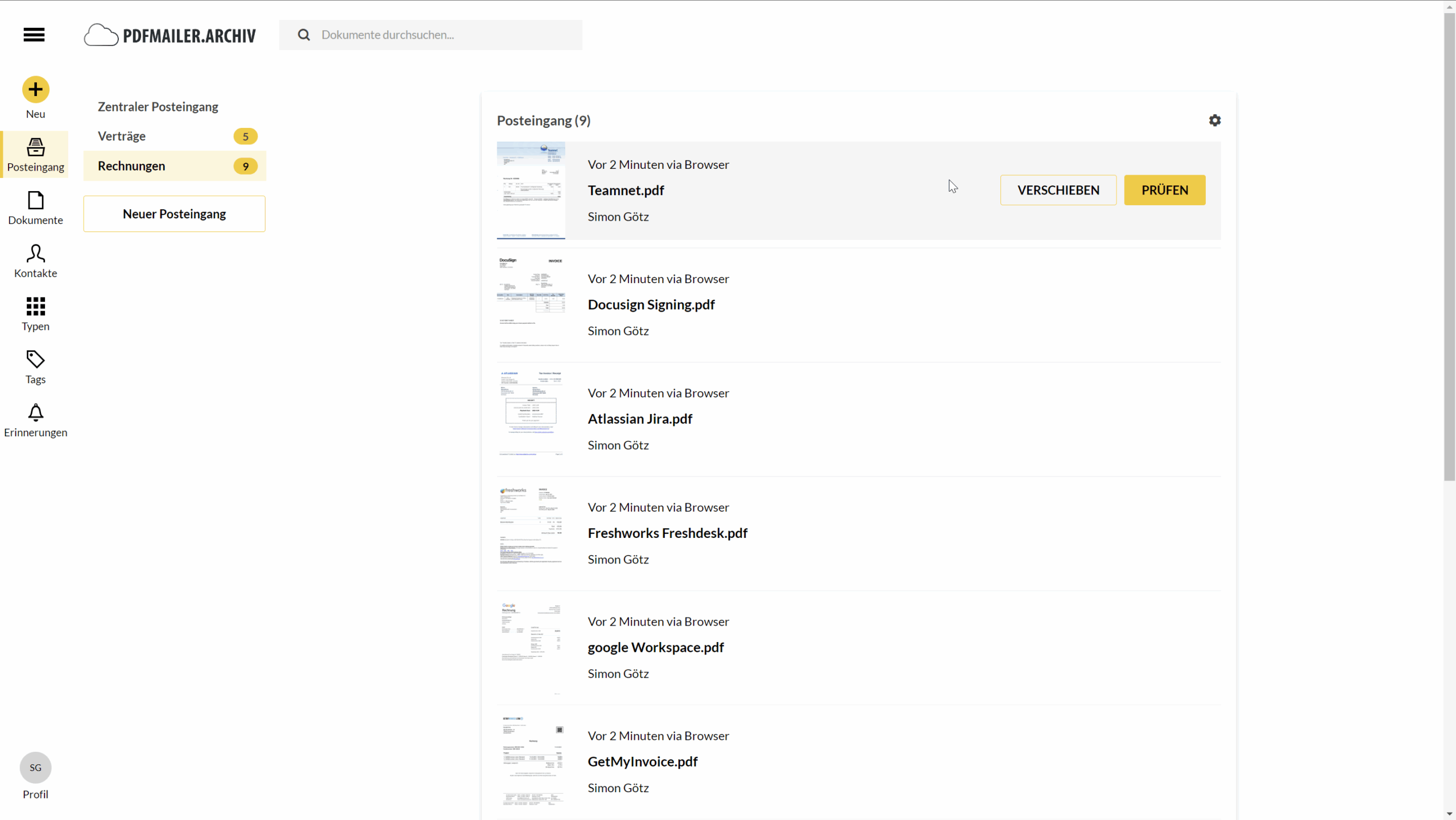
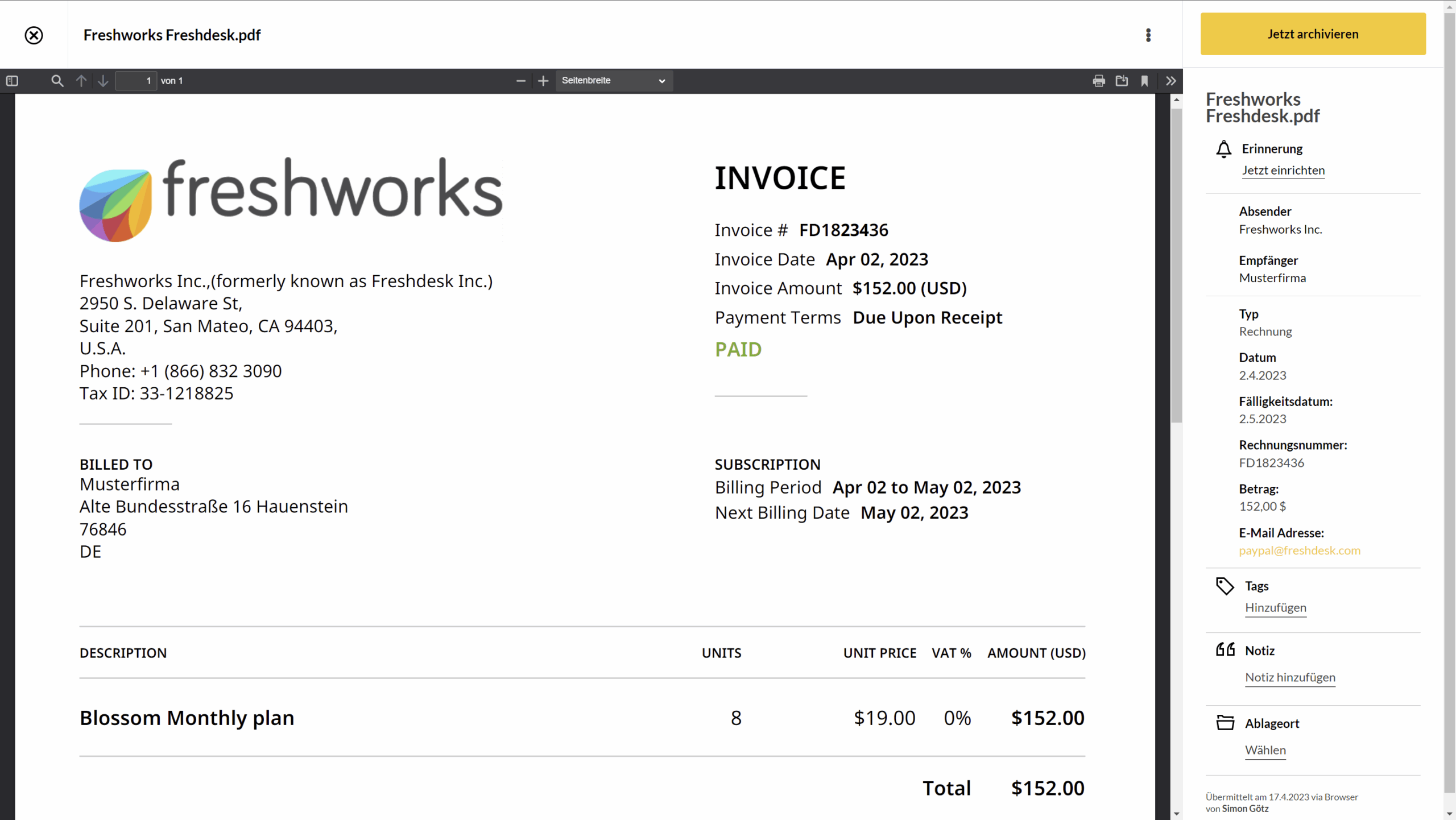
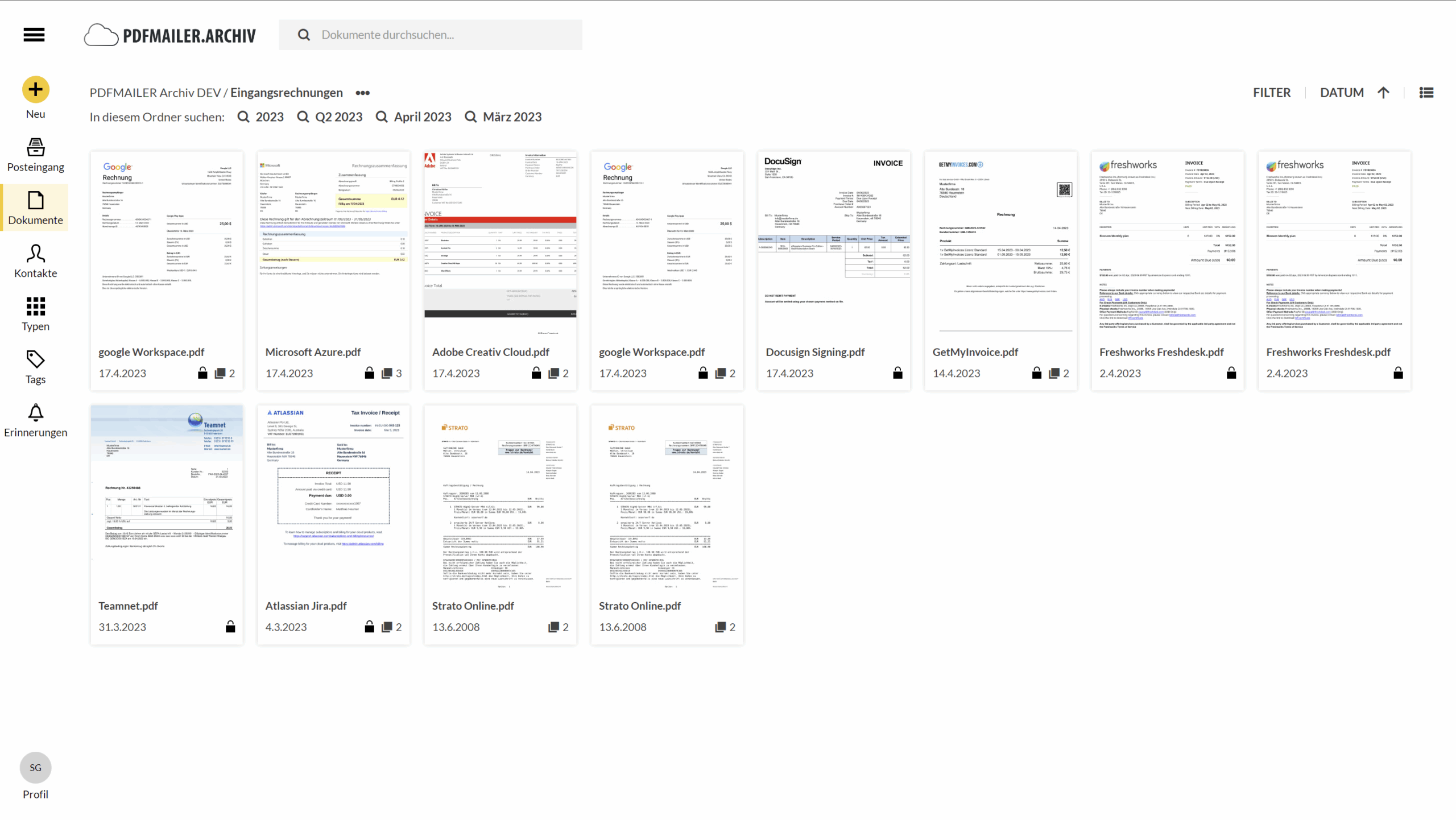
With PDFMAILER.ARCHIV, you can archive your incoming e-invoices centrally, securely, and in compliance with legal requirements – including intelligent document recognition and a fast search function.

Used in more than 25,000 companies

SoftENGINE GmbH nutzt PDFMAILER

5 reasons why more and more entrepreneurs are switching to digital business mail

Mit PDFMAILER halten sie gesetzliche Vorgaben ein, sparen sich viel Zeit und Kosten, machen weniger Fehler und gewährleisten eine zukunftssichere Zusammenarbeit.

The e-invoicing requirement started being introduced in 2025 and will be mandatory for all companies in Germany starting in 2027.

Those who switch over early will have a clear advantage.

2. Enormous time savings

Digital processes reduce manual work: no more PDF downloads, no more printing, no more envelopes, no more manual emailing.

Instead: Send with just one click – just by printing.

3. Significant cost savings

Digital shipping saves postage, printing, and material costs over the long term – a clear competitive advantage, especially for larger document volumes.

4. Fewer errors

PDFMAILER automatically imports addresses and invoice data. Typos, transposed numbers, or incorrect recipients are a thing of the past.

5. Future-proof collaboration

More and more business partners and suppliers are turning to e-invoicing. Those who don’t get on board are missing out on opportunities. With PDFMAILER, you’re ready for digital collaboration – and you’ll continue to be an attractive partner for customers, clients, and government authorities.

AND THE BEST PART: With PDFMAILER, you can check off e-invoicing without setting up a new IT project – and finally be able to focus on your actual day-to-day business.

Digital postal dispatch can be a burden if you choose the wrong solution.

…If it means you have to turn your existing processes upside down.

Many systems require complex customization and training. So instead of saving time, you get lost in the details – and your team is less willing to buy in.

…If it turns into an expensive
IT project.

The introduction of digital mail processes often entails costly software projects – with uncertain outcomes and a long ROI.

…If all the software
does is email.

Not every recipient can or wants to receive documents digitally via email. A solution that relies solely on email can leave you looking outdated to customers, government authorities, and business partners. In addition to email, future trends include proprietary invoice portals, DATEV solutions, and the PEPPOL network used throughout Europe.

PDFMAILER puts an end to this:

Just install, print, and send automatically – by email, postal mail, or via specialized invoicing portals. Without turning your processes into chaos or starting a new IT project.

Sick of huge IT projects? So are we!

With PDFMAILER, you can easily send and receive your business mail – without a complex transition, directly from your usual software.

With PDFMAILER, you get 2 programs:

Mit PDFMAILER.SEND erstellen Sie Elektronische Rechnungen und Geschäftsdokumente direkt aus Ihrem ERP-System.

1. PDFMAILER.SEND

Create and send electronic invoices and other business documents via email or postal mail. Print them directly from your office software or ERP system.

How it works: 

The software is recognized by your PC as a “printer driver”. This means that your employees use office software or their ERP system as usual. It always works the same – whether for a single email or bulk mailing.

More about PDFMAILER.SEND

Mit PDFMAILER.ARCHIV erfüllen Sie alle gesetzlichen Aufbewahrungspflichten für elektronische Rechnungen.

2. PDFMAILER.ARCHIV

Fulfill all legal retention requirements for electronic invoices. Everything you need to receive e-invoices, archive them with legally compliance and quickly find them again.

More about PDFMAILER.ARCHIV

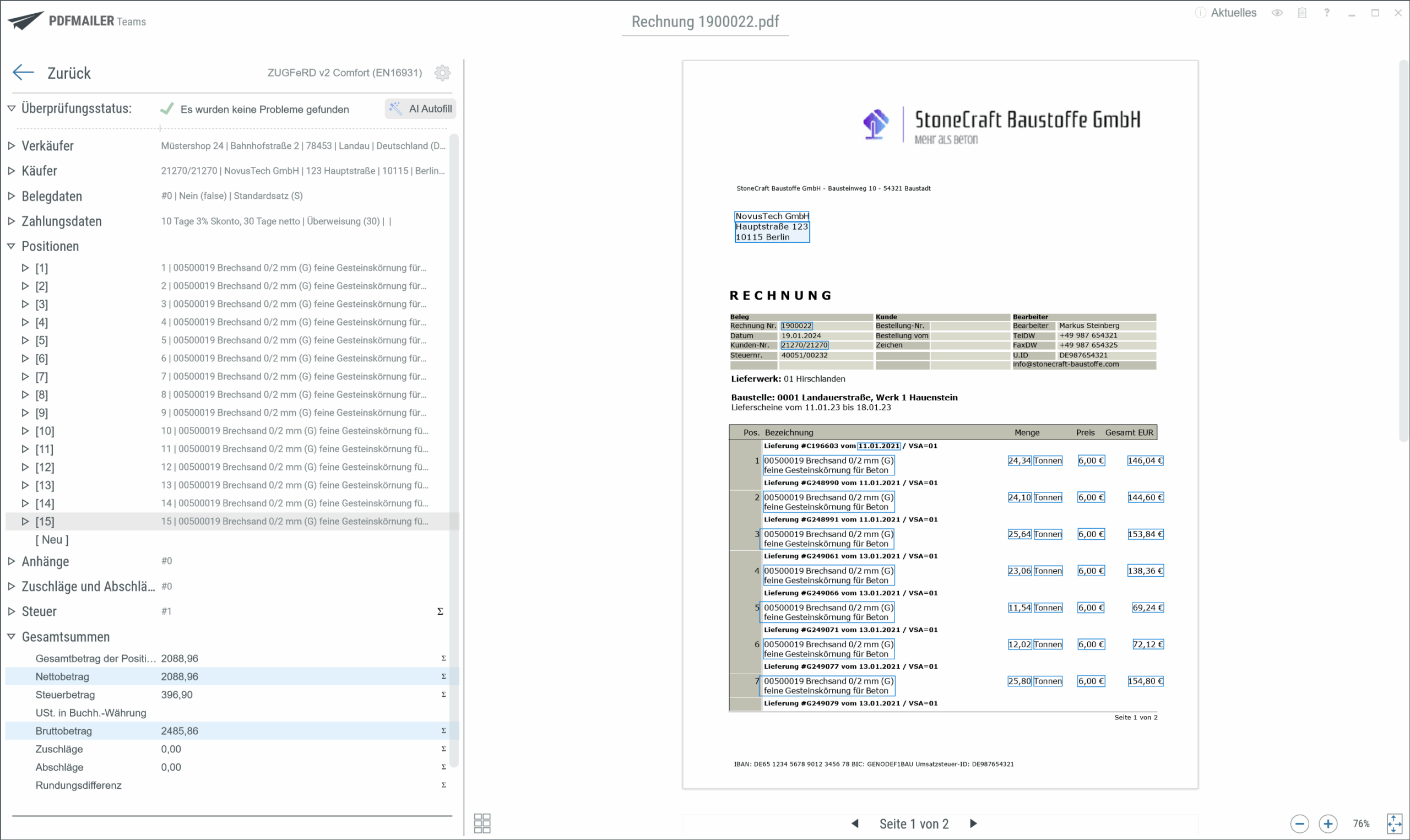
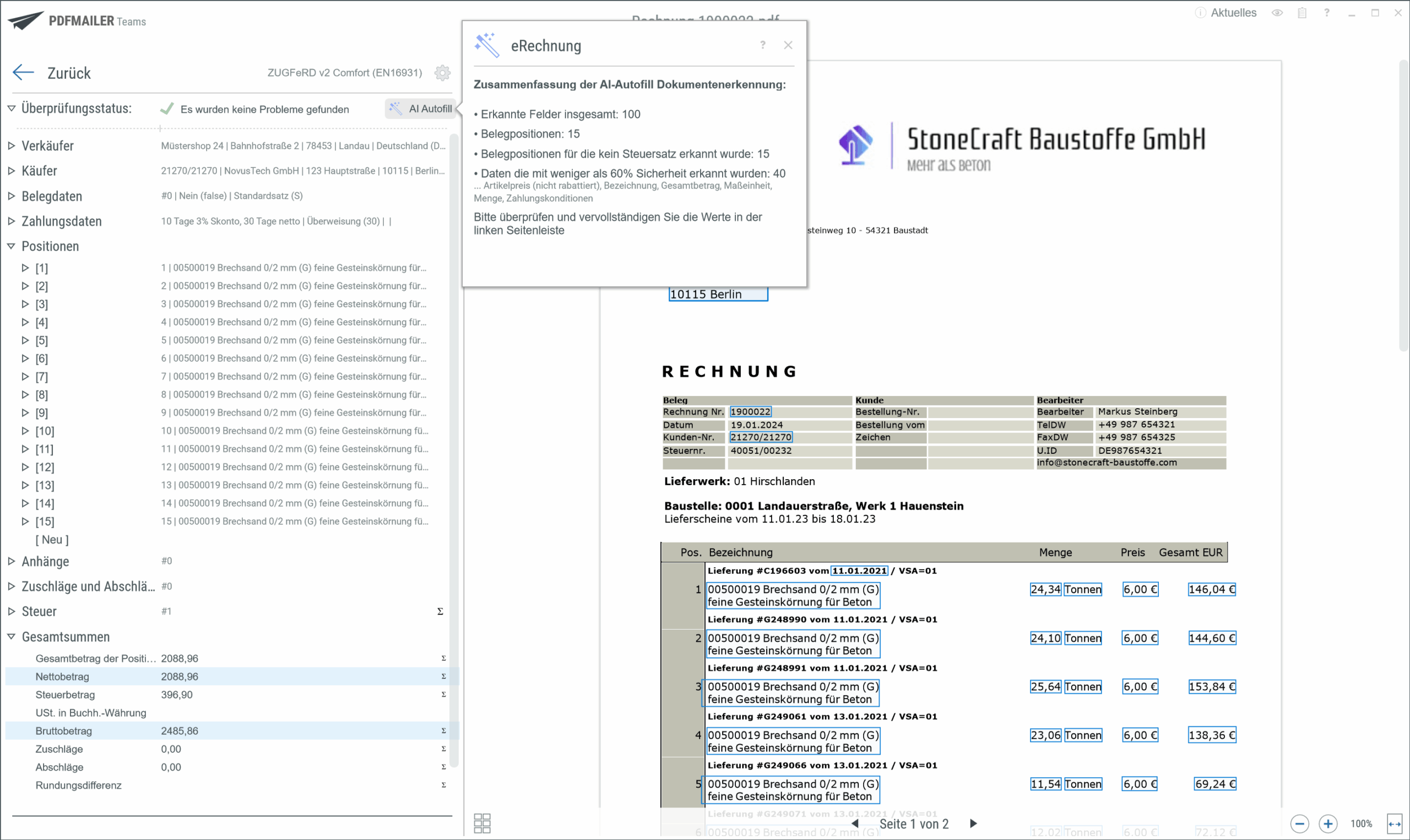
PDFMAILER includes AI that detects errors and helps your employees quickly draft emails and cover letters!

Mit dem PDFMAILER kann der Versand Ihrer Geschäftspost bei wiederkehrenden Prozessen automatisiert werden.

The program can be installed in less than 10 minutes and is immediately ready for use.

Mit PDFMAILER.SEND versenden Sie E-Rechnungen, Verträge oder Briefe direkt aus Ihrer Software per E-Mail oder Postbrief.

Sending and archiving documents is just as easy as printing. This means your employees can use the program right away, even without training.

Mit dem PDFMAILER kann der Versand Ihrer Geschäftspost bei wiederkehrenden Prozessen automatisiert werden.

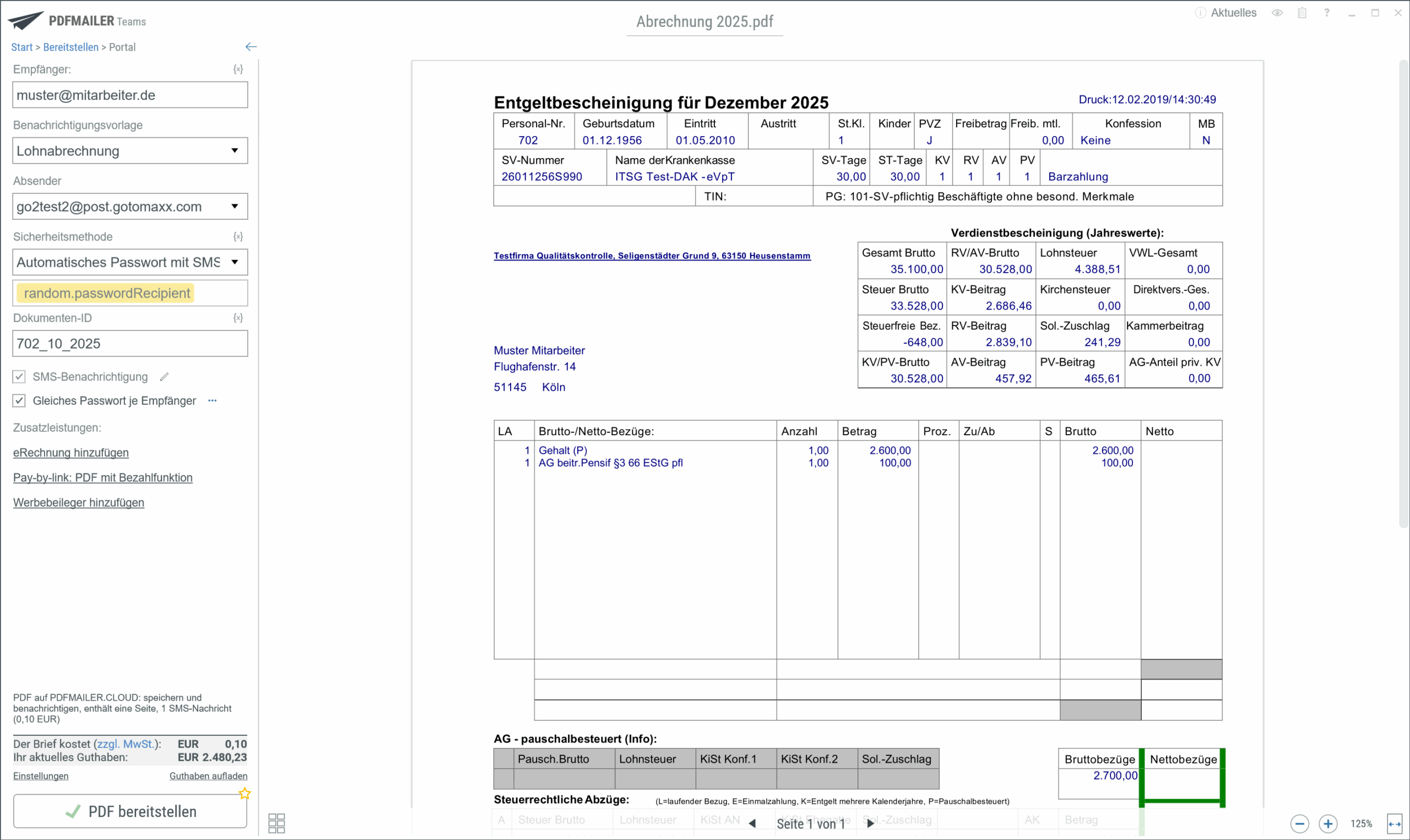
Whether by email, web portal or postal mail – you decide how you send your business mail.

Our PDFMAILER.TEST package combines these two systems. You can also license the applications individually after the trial period.

Install PDFMAILER in 3 easy steps

Laden Sie das Installationspaket herunter und testen Sie PDFMAILER.SEND und PDFMAILER.ARCHIV 14 Tage lang kostenfrei.

Step 1:

Download the installation package and start the setup to test PDFMAILER.SEND and PDFMAILER.ARCHIVE free of charge for 14 days. Don’t worry, you don’t need to be an IT pro. Installation only takes a few clicks in most cases and is usually finished in less than 10 minutes.

Mit PDFMAILER versenden Sie Ihre Geschäftspost und archivieren E-Rechnungen oder Verträge.

Step 2:

No need to wait! Just send your business mail as usual. Simply select PDFMAILER using the printer function, specify the format and delivery method, and send. Your document will then be sent fully automatically by email, postal mail, or via a web portal. You can file incoming e-invoices or contracts in a clear and transparent system and archive them with legal compliance.

Nach einer 14-tägigen Testphase entscheiden Sie, ob Sie PDFMAILER weiter nutzen möchten.

Step 3:

After 14 days, you can decide whether you want to continue using our program. We’ll create an offer that fits your needs.

Do you need help?
Please feel free to contact us

Create and send electronic invoices and other business documents via email or postal mail. Print them directly from your office software or ERP system.

Erstellen und versenden Sie mit PDFMAILER elektronische Rechnungen und weitere Geschäftsdokumente per Mail oder klassischen Postversand.

Do you have questions? Feel free to browse our Helpdesk 

Who is behind PDFMAILER?

With more than 25 years of experience in IT, we support customers and business partners in sending and receiving business mail – from medium-sized companies to large corporations.

How our customers benefit:

Mit PDFMAILER sparen Sie Zeit und Kosten. Die Bedienung ist ganz leicht.

Real time savings.

With our software, you can send all your business mail with a single print command. PDFMAILER integrates into your existing workflows. Sending mail takes just a few clicks – directly from your ERP system or office software.

Mit PDFMAILER sparen Sie Zeit und Kosten. Die Bedienung ist ganz leicht.

Easy to use.

Sending documents works like printing – no complex training or process changes required.

Significant cost savings.

Reduce postage, printing and processing costs – and regain valuable time.

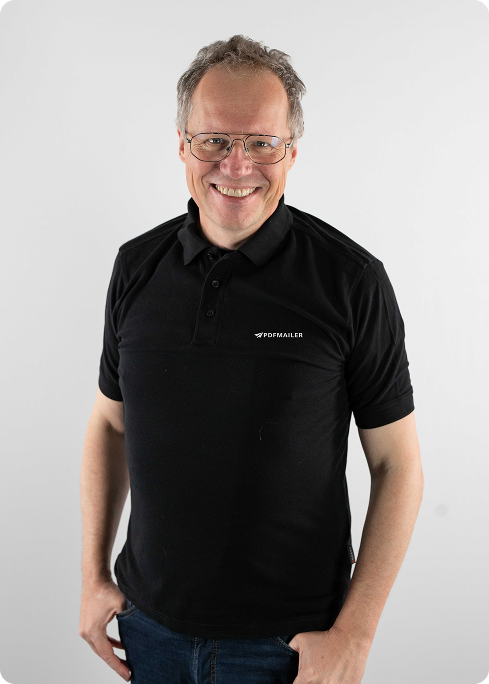
As an IT expert with many years of experience in the B2B sector, Matthias Neumer had a clear goal:

Develop a solution that makes the digitalization of business mail simple, fast and accessible to everyone in the company – without requiring a complex IT project.

Many companies are hesitant to make the switch because existing solutions are often expensive, complex, and technically daunting. Yet there is enormous potential for increased efficiency in automating shipping processes.

Matthias Neumer

Managing Director

Matthias Neumer ist Geschäftsführer von PDFMAILER.
With PDFMAILER.SEND Matthias and his team have created a system that radically simplifies this process – and saves companies up to 50% of the time they spend on average sending their business documents.

Our location

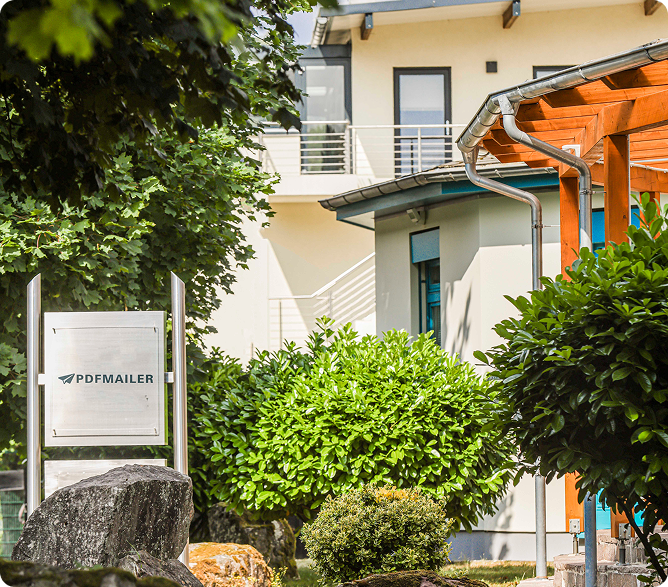
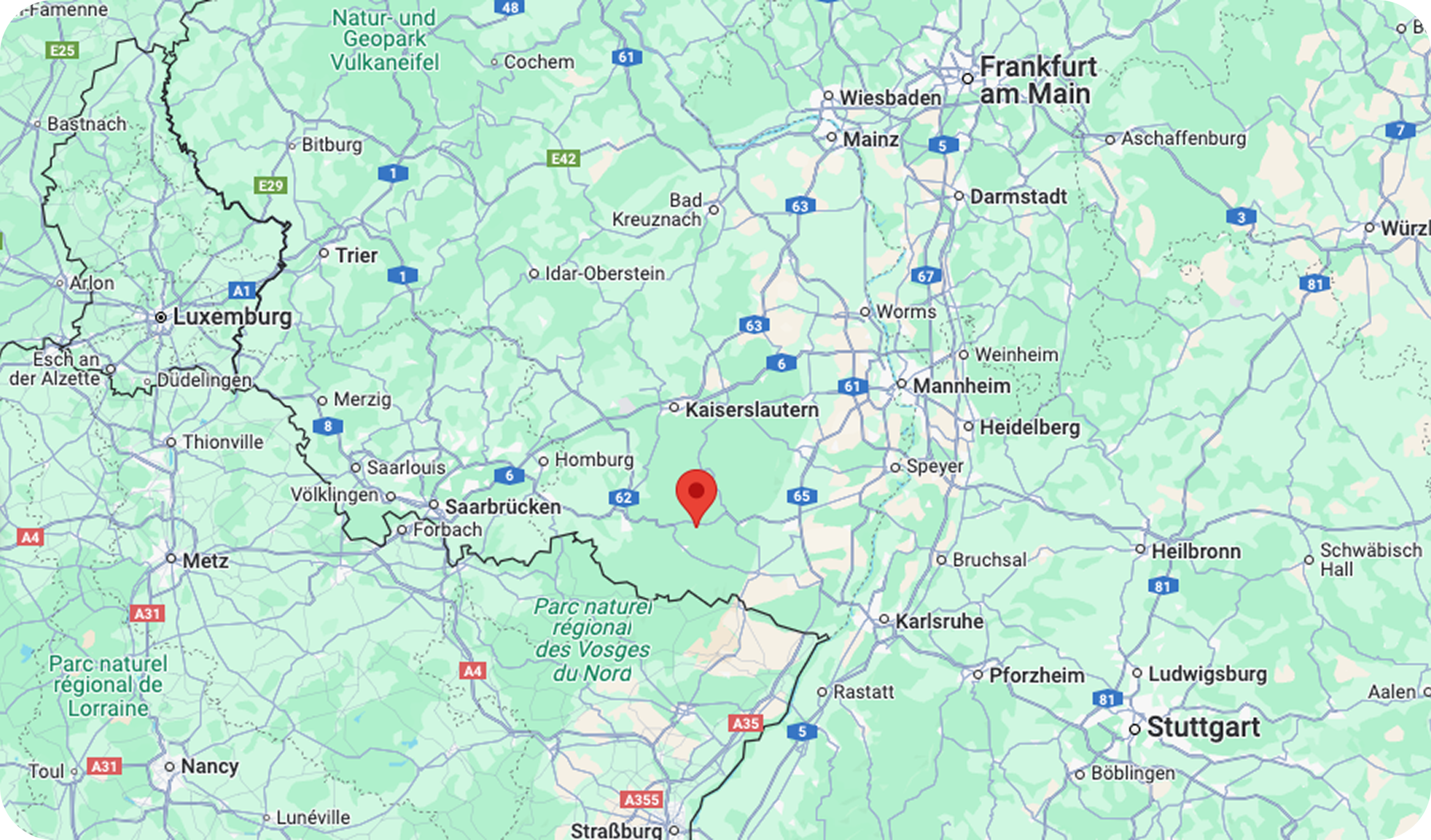
Our headquarters are located in picturesque Hauenstein in the southern part of Rhineland-Palatinate. Our support team is available on weekdays to answer your questions quickly and expertly via email. You can also participate in our weekly live webinars – free of charge and with direct insights into our solutions.
Von unserem Standort in Hauenstein aus, beraten wir unsere Kunden werktags per Mail. Außerdem bieten wir wöchentlich Live-Webinare an.

Frequently asked questions about the PDFMAILER product family

How much does PDFMAILER cost?
That depends on how many users you have and which modules you want to use. You can get a license starting at just €49.90 – but we’d be happy to create a customized offer for your company, tailored to your desired number of users. Here is a list of our current prices.
Important: For mail delivery, billing is transparently handled via a credit system per shipment. This way, you retain full control over costs at all times.
Is PDFMAILER only compatible with Windows or also with macOS (IOS)?

PDFMAILER.SEND is a Windows-based application that functions like a printer driver – so its use is currently limited to Windows systems.
PDFMAILER.ARCHIV, on the other hand, is a browser-based solution and can easily be used on macOS and iOS – for example, via Safari or Chrome.
This allows you to access and manage your archived e-invoices at any time, regardless of the platform.

Do I always have to license both programs – PDFMAILER.SEND and PDFMAILER.ARCHIVE – together?

No. You can use each module independently, depending on which features are relevant to your business.

  • PDFMAILER.SEND is for sending your business mail quickly and flexibly.
  • PDFMAILER.ARCHIV supports you in the legally compliant archiving of incoming e-invoices.
How is PDFMAILER integrated into my existing system?

PDFMAILER can be easily integrated into your existing office or ERP system. It’s used via the print function, so you don’t have to make major changes to your current business processes. Automation is possible!

Which invoice formats does PDFMAILER support?

PDFMAILER supports the two e-invoice formats commonly used in Germany: ZUGFeRD and XRechnung.


You can easily select the format in which each invoice should be created during the shipping process, depending on the recipient’s requirements.


This ensures that your communication with public authorities, suppliers and business partners is compatible and legally compliant – without any additional software or cumbersome extra steps.

Can I also use PDFMAILER to send letters and other postal documents?

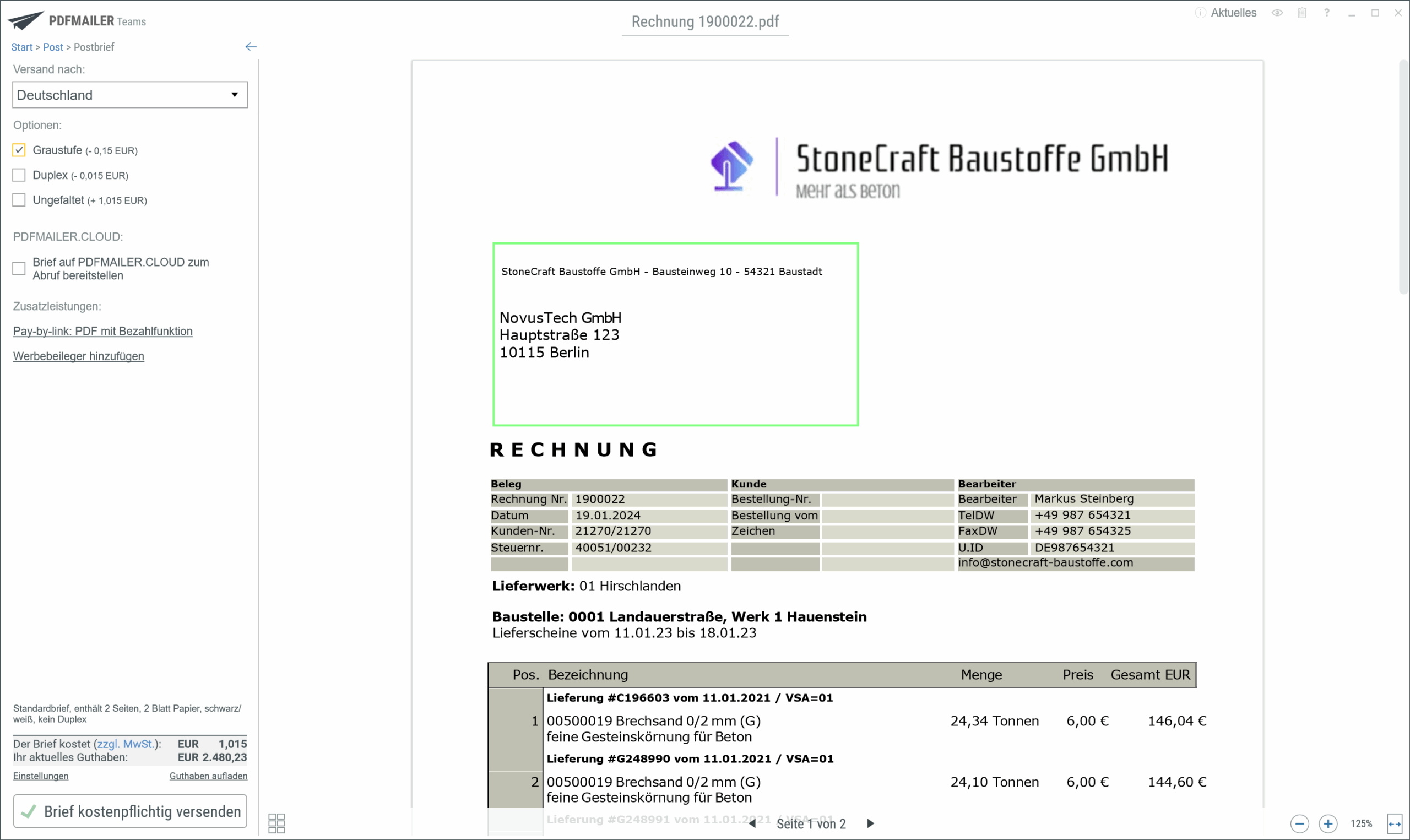
Yes. With PDFMAILER.SEND, you can send not only e-invoices, but also letters, contracts, offers, and other business documents – directly via email or by postal mail, both nationally and internationally.

The best part: PDFMAILER works like a printer driver. You create your document as usual, click “Print,” and select the desired delivery method (email, mail, web portal, fax, etc.).

Mailing is handled automatically by our connected printing center – including printing, inserting in envelopes, and adding postage. You no longer have to do anything manually or bring mail to the post office.

How does mailing with PDFMAILER work technically?

PDFMAILER.SEND uses your system’s standard print command. As soon as you click “Print,” the document is automatically converted to a PDF file and enhanced with the necessary shipping information, including as the recipient’s address, desired shipping method, or additional options such as enclosures or stationery. If you choose mail delivery, the finished document is digitally transmitted to a certified printing center. There, our partner takes care of printing your documents, inserting them into envelopes, adding postage, and mailing them – both nationally and internationally.


You don’t need a printer, paper, or envelopes on-site. Billing uses a convenient credit system – per shipment.


Optionally, you can also fully automate complex mass mailings using print tags, AI, or scripts, for example with different mailing methods, recipient languages, or attachments.

Can I also create parcel and internet stamps with PDFMAILER?

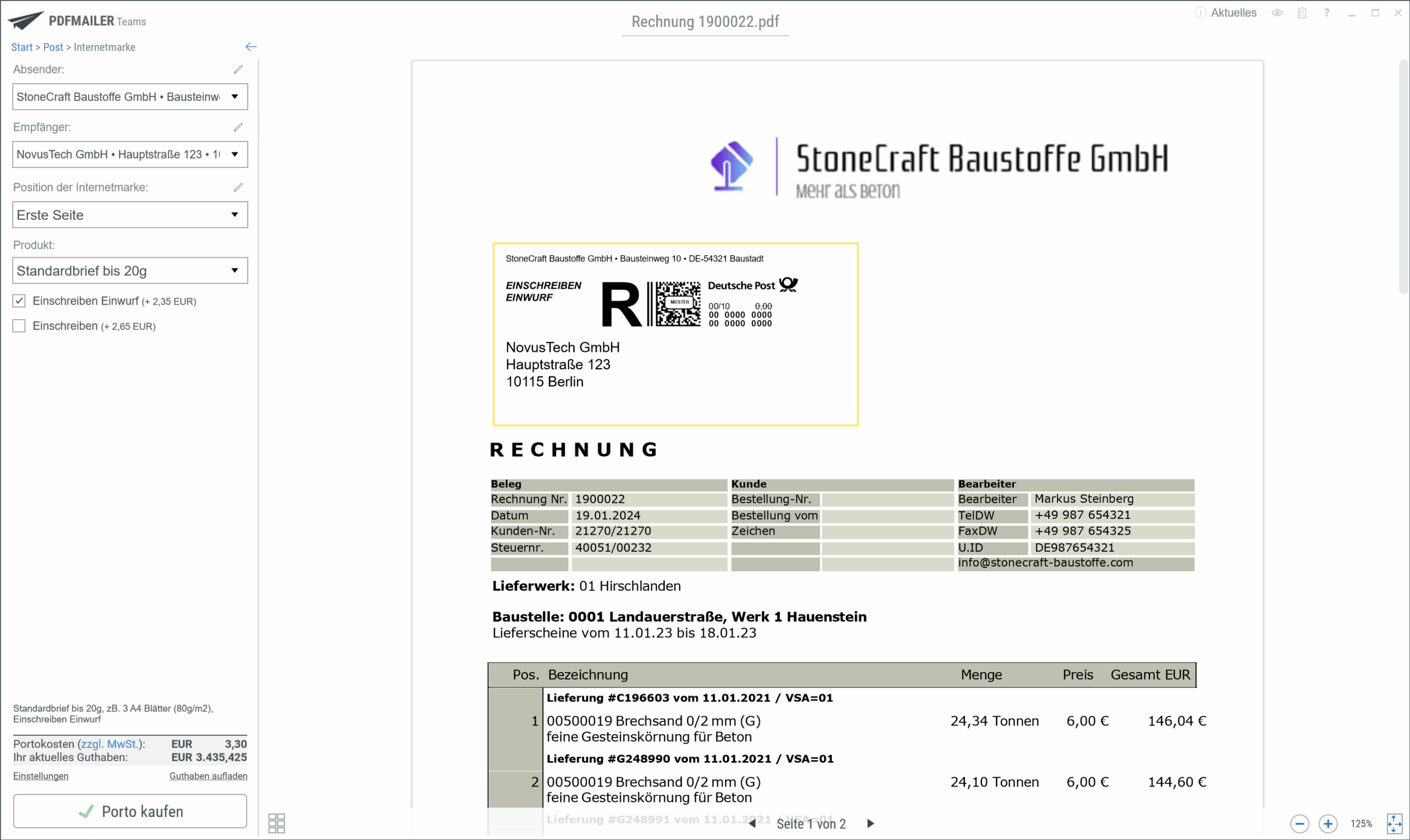
Yes. For shipments that cannot or should not be processed through the print center, such as parcels or special letters requiring signatures, PDFMAILER offers the option of generating parcel stamps (for DHL, for example) or Deutsche Post internet stamps and printing them on the letter or outputting them on the parcel label printer.

It’s quite simple:
After printing, select the appropriate shipping service and print the corresponding token.


This means you can also conveniently prepare returns, registered mail, or small parcels using your usual software – without forcing you to switch media or complete the task by hand.

What happens to letters that aren’t suitable for the printing center?

Some letters require a handwritten signature, the inclusion of originals, or are otherwise unsuitable for automated print delivery. PDFMAILER offers a solution for these as well:

  • Instead of sending the documents automatically, the document is printed on an existing local printer at your location.
  • Additional functions such as address labels, consignment slips or internet stamps can be created and printed at the same time.

This allows you to combine digital control and manual shipping processes – without forcing you to switch media and with maximum flexibility.

How long does it take until I can start using PDFMAILER?

The installation of PDFMAILER.SEND is usually completed in less than 10 minutes.
You can then start sending your business documents right away – without any training, simply by using the print command from your usual software.


If you would also like to use PDFMAILER.ARCHIV to receive and archive e-invoices, we’re happy to assist you with the quick setup – which usually takes a very short time also.

Can I also send e-invoices from Word & Excel?

Yes – with the gotomaxx solution, you can continue to create your invoices in Word or Excel. Subsequently, you print the document via the PDFMAILER printer driver, whereupon the integrated AI automatically adds the necessary e-invoice data (e.g., for ZUGFeRD or XRechnung), and the dispatch takes place in a legally compliant manner. This allows you to remain flexible with your source format while simultaneously remaining compliant with the law during sending.

Please note: The use of the PDFMAILER module is required, because Word or Excel alone are not sufficient to fulfill the technical requirements of an e-invoice (XML data, etc.).